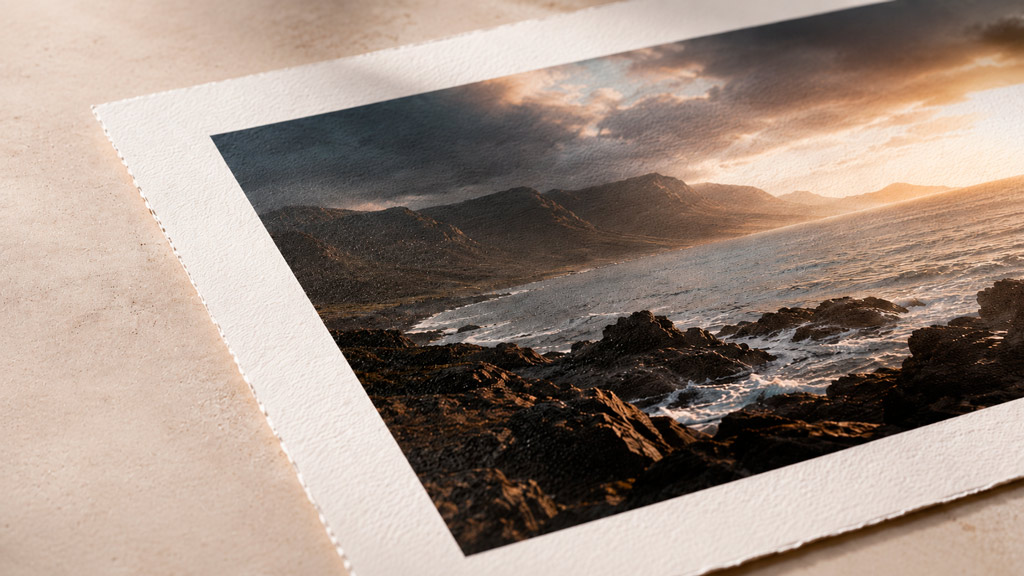
A high-quality giclée print is defined by four things: archival paper, pigment ink, accurate colour management, and the resolution to render fine detail faithfully. Every other variable — framing, sizing, finishing — matters, but these four are the floor. If any one of them is compromised, the print is compromised. The rest of this article explains what each means in practice, and why the differences are visible.
The Paper Is Half the Argument
The term giclée is used loosely in the industry. It shouldn’t be. A true giclée print requires two things: a fine art substrate — cotton rag, alpha-cellulose, or another natural fibre — and pigment-based inks. Without both, it’s just a regular inkjet print. The distinction matters because it’s the combination of natural fibre substrate and pigment ink that determines archival behaviour. Coated paper with pigment ink will still yellow. Cotton rag with dye ink will still fade. Both elements are load-bearing.
Archival fine art papers are manufactured to museum-grade standards. Arches Aquarelle, one of the many cotton rag papers we print on at Kilford, is 100% cotton and contains no optical brightening agents (OBAs).
OBA-free matters because papers with optical brighteners look brilliant out of the box — and yellow within years. The brighteners break down under UV exposure. A paper without them ages gracefully, maintaining neutral whites across decades.
You’ll see “100+ years” cited across the fine art printing industry — and occasionally “200+ years.” Both figures are real. The 200+ year rating is for prints stored in dark archival conditions: sealed, away from light entirely. Useful if your collector plans to keep the work in a drawer. The 100+ year figure assumes UV-filtering glazing, stable humidity, and indirect light — which is how most fine art is actually displayed.
The same print displayed unframed under a bare bulb tests at 20–39 years on the same paper. The number isn’t wrong; it’s incomplete without the context.
Arches Aquarelle is a 100% cotton, OBA-free paper manufactured to museum standards. Print on it with pigment inks, frame it behind UV-filtering glazing, and you’re well inside that 100+ year window. Skip the UV glass, and the equation changes significantly.
The difference between an archival cotton rag and a standard coated inkjet paper isn’t subtle. It’s visible to anyone who looks at both side by side.
Pigment Ink, Not Dye
Dye-based inks produce vivid colour. They also fade — some within five years under normal display conditions.
Unlike dye-based inks, pigment inks don’t dissolve into the paper — which is why pigment prints are significantly more resistant to UV exposure, humidity, and atmospheric pollutants. Canon’s LUCIA PRO pigment ink system, used in the imagePROGRAF Pro range, delivers a colour gamut wide enough for fine art reproduction and lightfastness ratings measured in decades, not years.
The distinction between dye and pigment isn’t a preference — it’s a decision about what the print is for. A print made to hang, sell, or last has only one answer.
Colour Management — The Bridge Between Two Worlds
A giclée print is only as accurate as the ICC profile used to produce it. An ICC profile is a calibrated translation layer between the digital file and the printer-paper combination — it tells the printer exactly how to render each colour value on that specific paper, with that specific ink set
Without a custom profile, colour reproduction relies on generalised manufacturer data — built for a reference printer under reference conditions. Paper batches vary. Ink systems vary. The result can be prints that are subtly too warm, too cool, or too contrasty in ways that only become obvious against a properly calibrated reference. A custom profile, built on the specific printer and paper combination in use, removes that uncertainty entirely.
At Kilford, we build separate ICC profiles for every paper we stock, measured with an X-Rite spectrophotometer.
Resolution — What the Numbers Actually Mean
You’ll often see 300 ppi cited as the gold standard for fine art printing. It’s a reasonable benchmark — but rarely with the context that makes it meaningful. The figure that actually matters is native resolution at final print size, and the threshold that determines whether that resolution is enough is viewing distance, paper surface, and whether the detail genuinely exists in the file to begin with.
Native 200–300 ppi at print size is where fine art inkjet printing performs at its best. Within that range, in our experience, the gap closes completely the moment the print is on a wall. More often than we’d like to, we see files that have been upscaled to hit an arbitrary number — softer, with haloing and compression artefacts baked in. The printer reproduces what it receives faithfully, and a clean native 200 ppi file will outperform a poorly upscaled 300 ppi file every time.
Two situations where the upper end of that range genuinely earns its keep: vector-based artwork rasterised for upload, where the source is resolution-independent and 300 ppi is achievable natively; and very fine detailed work, where maximum native resolution matters — though here, upscaling is even more damaging than on photographic images. If the detail is there in the source, protect it. If it isn’t, upscaling won’t create it.
If your file lands anywhere in the 200–300 ppi range natively at your chosen print size, leave it alone.
Certification — Beyond the Badge
Canson and Hahnemühle both operate certified studio programmes. Certification isn’t a badge for marketing — it means the studio has been evaluated on its colour management workflow, equipment calibration, and the quality of prints produced, verified against manufacturer standards.
It’s relevant because it’s an independent validation of process, not a self-declaration. Any lab can describe itself as producing archival-quality prints. Not many can demonstrate it to an independent certifying body.
Kilford is certified by both Canson and Hahnemühle.
FAQ
Q: What is the difference between a giclée print and a regular print?
A: A giclée print uses pigment-based inks on a fine art substrate — cotton rag, alpha-cellulose, or another natural fibre. A regular inkjet print typically uses dye-based inks on coated paper without custom profiling. The distinction isn’t just technical: it determines how the print ages, how it looks on a wall, and whether it holds its value.
Q: How long does a high-quality giclée print last?
A: “Last’ in this context refers to colour permanence — the point at which noticeable fading or colour shift begins to occur, not physical deterioration. On OBA-free cotton rag paper with pigment inks, framed behind UV-filtering glazing, that threshold exceeds 100 years under normal display conditions. Behind regular glass without UV filtration, the same print tests at roughly 40–85 years depending on the paper. Unframed under direct light, that drops to 20–39 years. The glazing choice matters more than most people realise — and it’s the one variable entirely within your control once the print leaves the studio.
Q: What makes a giclée print archival?
A: Two things, both required: pigment inks and a natural fibre substrate — cotton rag or alpha-cellulose. Pigment ink on non-archival paper is still subject to paper yellowing. Archival paper with dye inks is still subject to ink fade. Both need to coexist.
Q: Is giclée printing worth it for artists?
A: For any work intended for sale, exhibition, or long-term presentation, yes. The cost difference is real, but so is the difference in outcome — a print that holds its colour and surface for decades has a fundamentally different market value than one that doesn’t.
Q: What resolution do I need for a giclée print?
A: Native 200–300 ppi at your chosen print size. For a 50×70cm print, 200 ppi corresponds to approximately 3900×5500 pixels; 300 ppi to approximately 5900×8300 pixels. Within that range, the difference is imperceptible under normal viewing conditions. What matters is that the resolution is native — upscaling doesn’t add detail, it estimates it, and the results are rarely an improvement. If your file falls within that range at your intended size, leave it alone.